Hackers had a field day on my old blog here. Dummy me did not update it in some time and they got in. I cleaned up dozens of hacked posts. Removed many old posts that links no longer worked in. I think i will remove the blog here once I capture my hep c journey I have documented here.
Conservatives argue. Leftists censor. The Right may insult, but the Left silences.
Interesting article:
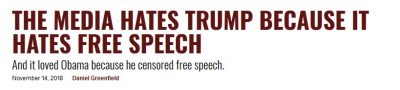
President Trump and his predecessor had very different relationships with the media. And the media had a very different relationship to each of them.
Obama didn’t like talking to the press corps. The freewheeling unstructured chats that President Trump has become known for were rare during his administration. Instead, Obama preferred to have cronies arrange extended interviews at which he held forth to a single admiring reporter from an elitist publication. ….
What REALLY happened in Charlottesville – and what everyone is missing
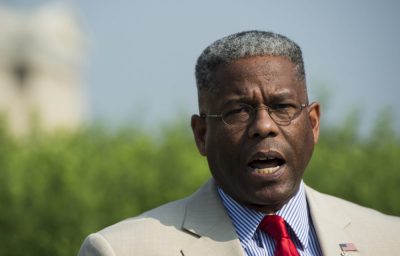
Ok folks, here’s what REALLY happened in Charlottesville – and what everyone is missing
By Allen West10:11pm August 13, 201
This past weekend I was honored to be in a most picturesque place with some great and hospitable folks in Prescott (Yavapai County) Arizona. I was there to address the Republican Women of Prescott, the nation’s largest Republican women’s club, on their 75th anniversary. The scenery there was just breathtaking and there was just a sense of solemnness that we all need experience from time to time. How great a contrast it was from what was happening across the country in Charlottesville, Virginia.
Let me begin by saying, I deplore any form of supremacist view — white, black, Hispanic, Islamic. I will be the first to openly state and embrace, a sense of American exceptionalism and supremacy that is rooted in our founding principles and values. Any and all else that is contradictory is to be condemned. What I have witnessed post the events of Saturday 12 August is the typical Rahm Emanuel mentality and political posturing: “never let a good crisis go to waste.”
Therefore, I seek to assess what really happened in Charlottesville, Virginia.
First, may God rest the soul of 32-year-old Heather Heyer who tragically lost her life. My sincere condolences to her, her family, and those others who were injured. I fully support seeking the death penalty for 20-year-old James Alex Fields Jr. of Ohio who committed this horrific act of violence. But, how did we get to this place?
This all began because someone decided, as other elected officials have across the country, to cave in to partisan political pressures and seek to erase American history. History is not there for us to love or hate, but for us to learn from and seek to not repeat its mistakes.
If there are those who truly believe we protect ourselves by trying to revise history due to false emotions, then we miss out on who we are as a nation, and our evolution. The statues of long since deceased leaders of the Confederate Army do not stand to remind anyone of oppression. And if a statue can oppress you, then I submit that you have greater issues.
I certainly did not appreciate former President Barack Obama taking a photo op in Cuba before the image of Che Guevara, nor do I enjoy seeing anyone wearing said image on t-shirts here in America…but I do not go into some whimsical state of “oppression.”
And so it is that we do possess in this Constitutional Republic a freedom of speech and freedom of expression. It would appear that said group who didn’t wish to see the statue of Virginian, General Robert E. Lee, who was a commissioned U.S. Army officer, graduate of West Point, and served the nation in the Mexican War, taken down did apply for a permit to hold a rally. We can dislike these individuals, but they took proper measures to secure permission to express their First Amendment right.
Contrary to their position, the word went out for a counter-protest to occur which included groups from a different side of the political spectrum, who have also been very guilty of hateful rhetoric and violence. What should have happened is that these two groups should have been kept miles apart. I do not understanding why any local law enforcement agency would allow these two groups close proximity…first lesson learned. And we must also ascertain, did the counter-protest group seek permit or did they just “show up” in order to provoke, and elicit a response they could use “politically?” Yes, motivations are important to understand in this case, if we’re serious about getting to the bottom of what happened in Charlottesville and not just the typical media-driven frenzy.
I find it rather odd that so many are seeking to lay blame on President Trump for what happened in Charlottesville. And there are some voices out there who want to blame all white people, and all Republicans. How odd that when it was the New Black Panther Party outside a voting precinct in Philadelphia in black fatigues and with clubs, nothing was said. As a matter of fact, they weren’t even prosecuted for voter intimidation. And when it was the riots in Ferguson and Baltimore fueled by media false narratives and a presidential administration’s rhetoric, there was no blame laid on Barack Obama. It appears to me that there is a blatant hypocrisy when an individual commits a horrible crime, such as in Charleston, South Carolina, and a collective group of people are to be held accountable.
But, when there’s an Islamic terror attack people say, “we cannot rush to judgment” or “this is not indicative of all Muslims”…to wit I agree, but why not call the enemy for what it is” militant Islamic terrorism or jihadism? Why must some be browbeaten into condemning the actions of a few, yet we have others who have fully admitted their support to groups calling for a “resistance?” And where were the voices to condemn the violence in Washington DC on Inauguration Day, or even at UC-Berkeley…or the violence committed against those who support the current president or hold beliefs aligned with Constitutional conservatism?
If we want to condemn groups such as the neo-Nazis and others, then we must also condemn groups such as BLM and Antifa. And we need to stop the cherrypicking, as they all should be investigated. Let’s end this absurdity of trying to connect the Republican Party with the Ku Klux Klan, since it was a creation of the Democrat Party. And I seem to recall Senator Robert Byrd of West Virginia, infamously known as a grand wizard of the Klan, lauded over at his memorial by Barack Obama, Bill and Hillary Clinton. It was Senator Byrd who was vehemently against the Civil Rights Act of 1964, but it was Republican Senator Everett Dirksen who supported its passage.
Moving US Embassy to Israel’s Eternal Capital – Jerusalem

It is time Mr President to move the US Embassy to Israel’s Eternal Capital Israel. Put the world on record, we THE USA stand with Israel FULLY!
Speaking of nation Israel the Scriptures remind us in Genesis 12:3, “And I will bless them that bless thee, and curse him that curseth thee: and in thee shall all families of the earth be blessed.”
President Donald Trump’s Inauguration Speech Transcript
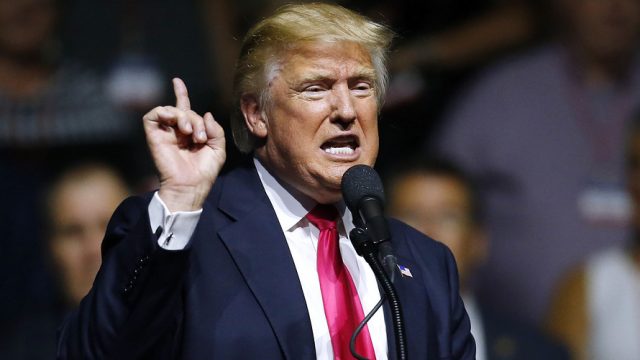
Chief Justice Roberts, President Carter, President Clinton, President Bush, President Obama, fellow Americans and people of the world, thank you.
We, the citizens of America, are now joined in a great national effort to rebuild our country and restore its promise for all of our people.
Together, we will determine the course of America and the world for many, many years to come. We will face challenges. We will confront hardships. But we will get the job done.
Every four years we gather on these steps to carry out the orderly and peaceful transfer of power. And we are grateful to President Obama and first lady Michelle Obama for their gracious aid throughout this transition. They have been magnificent. Thank you.
Today’s ceremony, however, has a very special meaning because today we are not merely transferring power from one administration to another or from one party to another, but we are transferring power from Washington, D.C., and giving it back to you, the people.
For too long, a small group in our nation’s capital has reaped the rewards of government while the people have bore the cost. Washington flourished, but the people did not share in its wealth. Politicians prospered but the jobs left and the factories closed. The establishment protected itself, but not the citizens of our country. Their victories have not been your victories. Their triumphs have not been your triumphs. And while they celebrated in our nation’s capital, there was little to celebrate for struggling families all across our land.
That all changes starting right here and right now, because this moment is your moment.
It belongs to you. It belongs to everyone gathered here today and everyone watching all across America. This is your day. This is your celebration. And this, the United States of America, is your country.
What truly matters is not which party controls our government, but whether our government is controlled by the people.
January 20th, 2017, will be remembered as the day the people became the rulers of this nation again.
The forgotten men and women of our country will be forgotten no longer. Everyone is listening to you now. You came by the tens of millions to become part of a historic movement, the likes of which the world has never seen before.
At the center of this movement is a crucial conviction that a nation exists to serve its citizens. Americans want great schools for their children, safe neighborhoods for their families and good jobs for themselves. These are just and reasonable demands of righteous people and a righteous public.
But for too many of our citizens, a different reality exists. Mothers and children trapped in poverty in our inner cities, rusted out factories scattered like tombstones across the landscape of our nation. An education system flush with cash but which leaves our young and beautiful students deprived of all knowledge. And the crime and the gangs and the drugs that have stolen too many lives and robbed our country of so much unrealized potential. This American carnage stops right here and stops right now.
We are one nation, and their pain is our pain. Their dreams are our dreams, and their success will be our success. We share one heart, one home and one glorious destiny. The oath of office I take today is an oath of allegiance to all Americans.
For many decades we’ve enriched foreign industry at the expense of American industry, subsidized the armies of other countries while allowing for the very sad depletion of our military. We’ve defended other nations’ borders while refusing to defend our own. And we’ve spent trillions and trillions of dollars overseas while America’s infrastructure has fallen into disrepair and decay. We’ve made other countries rich while the wealth, strength and confidence of our country has dissipated over the horizon.
One by one, the factories shuttered and left our shores with not even a thought about the millions and millions of American workers that were left behind. The wealth of our middle class has been ripped from their homes and then redistributed all across the world. But that is the past, and now we are looking only to the future.
We assembled here today are issuing a new decree to be heard in every city, in every foreign capital and in every hall of power. From this day forward, a new vision will govern our land. From this day forward, it’s going to be only America first, America first.
Every decision on trade, on taxes, on immigration, on foreign affairs will be made to benefit American workers and American families. We must protect our borders from the ravages of other countries making our product, stealing our companies and destroying our jobs.
Protection will lead to great prosperity and strength. I will fight for you with every breath in my body, and I will never ever let you down.
America will start winning again, winning like never before.
We will bring back our jobs. We will bring back our borders. We will bring back our wealth, and we will bring back our dreams.
We will build new roads and highways and bridges and airports and tunnels and railways all across our wonderful nation. We will get our people off of welfare and back to work, rebuilding our country with American hands and American labor.
We will follow two simple rules: Buy American and hire American.
We will seek friendship and goodwill with the nations of the world, but we do so with the understanding that it is the right of all nations to put their own interests first. We do not seek to impose our way of life on anyone, but rather to let it shine as an example. We will shine for everyone to follow.
We will re-enforce old alliances and form new ones and unite the civilized world against radical Islamic terrorism, which we will eradicate completely from the face of the earth.
At the bedrock of our politics will be a total allegiance to the United States of America, and through our loyalty to our country we will rediscover our loyalty to each other. When you open your heart to patriotism, there is no room for prejudice.
The Bible tells us how good and pleasant it is when God’s people live together in unity. We must speak our minds openly, debate our disagreements honestly, but always pursue solidarity. When America is united, America is totally unstoppable.
There should be no fear. We are protected and we will always be protected. We will be protected by the great men and women of our military and law enforcement. And most importantly, we will be protected by God.
Finally, we must think big and dream even bigger. In America, we understand that a nation is only living as long as it is striving. We will no longer accept politicians who are all talk and no action, constantly complaining but never doing anything about it.
The time for empty talk is over. Now arrives the hour of action.
Do not allow anyone to tell you that it cannot be done. No challenge can match the heart and fight and spirit of America. We will not fail. Our country will thrive and prosper again.
We stand at the birth of a new millennium, ready to unlock the mysteries of space, to free the earth from the miseries of disease, and to harness the energies, industries and technologies of tomorrow. A new national pride will stir ourselves, lift our sights and heal our divisions. It’s time to remember that old wisdom our soldiers will never forget, that whether we are black or brown or white, we all bleed the same red blood of patriots.
We all enjoy the same glorious freedoms and we all salute the same great American flag.
And whether a child is born in the urban sprawl of Detroit or the windswept plains of Nebraska, they look up at the same night sky, they fill their heart with the same dreams and they are infused with the breath of life by the same almighty creator.
So to all Americans in every city near and far, small and large, from mountain to mountain, from ocean to ocean, hear these words: You will never be ignored again. Your voice, your hopes and your dreams will define our American destiny. And your courage and goodness and love will forever guide us along the way.
Together we will make America strong again, we will make America wealthy again, we will make America proud again, we will make America safe again.
And, yes, together we will make America great again.
Thank you. God bless you. And God bless America.
President Donald J Trump
A new day has dawn….. a sorry chapter of purposed division, designed weakness, failure of following rule of law, and a failed progressive way slowed. Thank you Lord! God bless President Donald Trump, Vice President Michael Pence and God bless America! Jundlejay … jundlejay …. JEEEE JAH!